
Motion Control AI Free: Move Any Character Online
Motion control AI free helps you transfer dance, pose, gesture, and acting movement from a reference clip to your character image. Use the online workflow to review short passes, keep the face and outfit recognizable, and see whether the current plan offers enough free access for a first test.
Sample Workflow
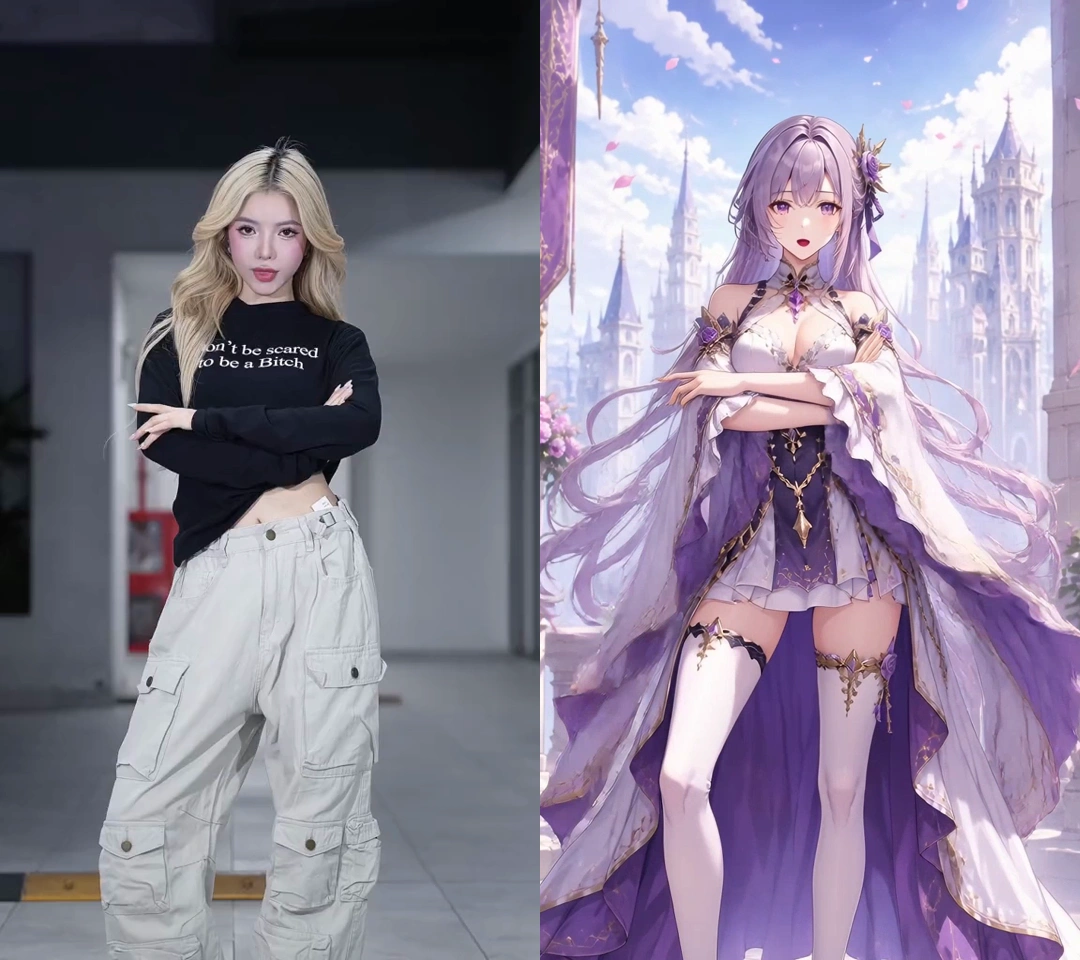
Example workflow: from reference clip to usable character motion
These examples show how creators test movement before a longer render. Each one starts with a clear image, a short motion source, and a quick pass to review timing, pose direction, and character consistency before a longer paid run or client review.
Dance motion transfer with readable rhythm and pose changes
A short dance reference is useful when you need visible timing, turns, and arm paths. Start with a clean clip, review whether the movement lands, then decide if the setup deserves a longer generation. It is a good motion control AI free test when you want to check timing and pose clarity early.
Style checks across realistic, mascot, and illustrated characters
The same motion source can tell you a lot about silhouette clarity, costume stability, and how different art styles hold up once the body starts moving. That is useful when you want to compare a realistic character, a mascot, and an illustrated version without changing the action. It also makes previews and client mockups easier because you can see which style stays readable first.
High precision motion transfer, frame by frame
When a shot needs clean timing, frame by frame motion transfer gives you a much better read than a loose text prompt. You can check hand paths, shoulder turns, and small timing changes one beat at a time, then catch drift or awkward holds before they end up in the final clip. It works especially well for close-up performance shots and short edits where small motion mistakes are easy to spot.
Use Cases for AI Motion Control
Show different ways a reference video can guide character movement. If you're testing motion control AI free, this motion control AI video generator workflow works well for short tests, motion studies, social-ready experiments, and early client previews before a polished edit.
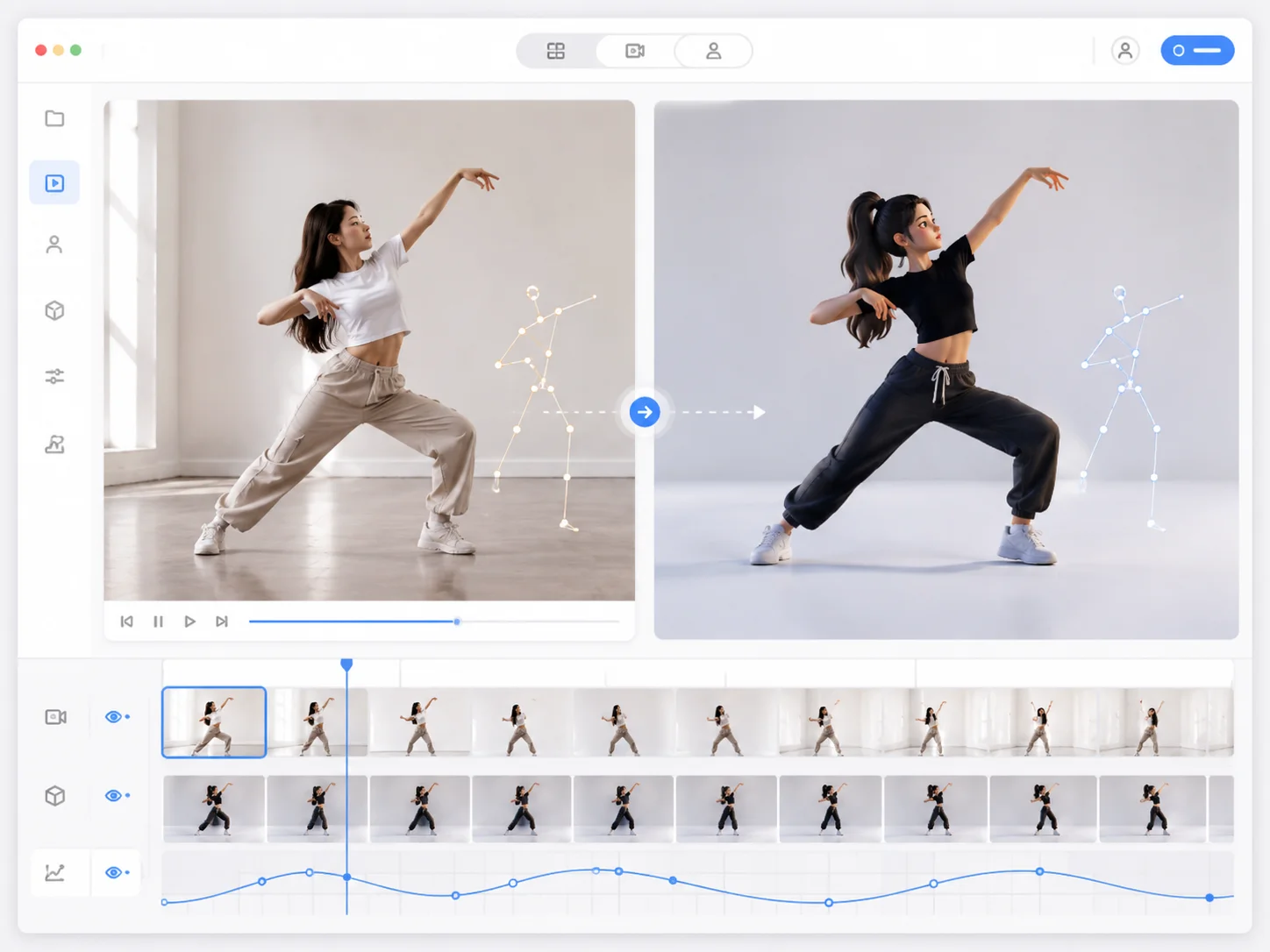
Dance Motion Transfer
Copy the rhythm, pose changes, and body direction from a dance reference video into a character image. Useful for short-form clips, music edits, and quick movement tests.
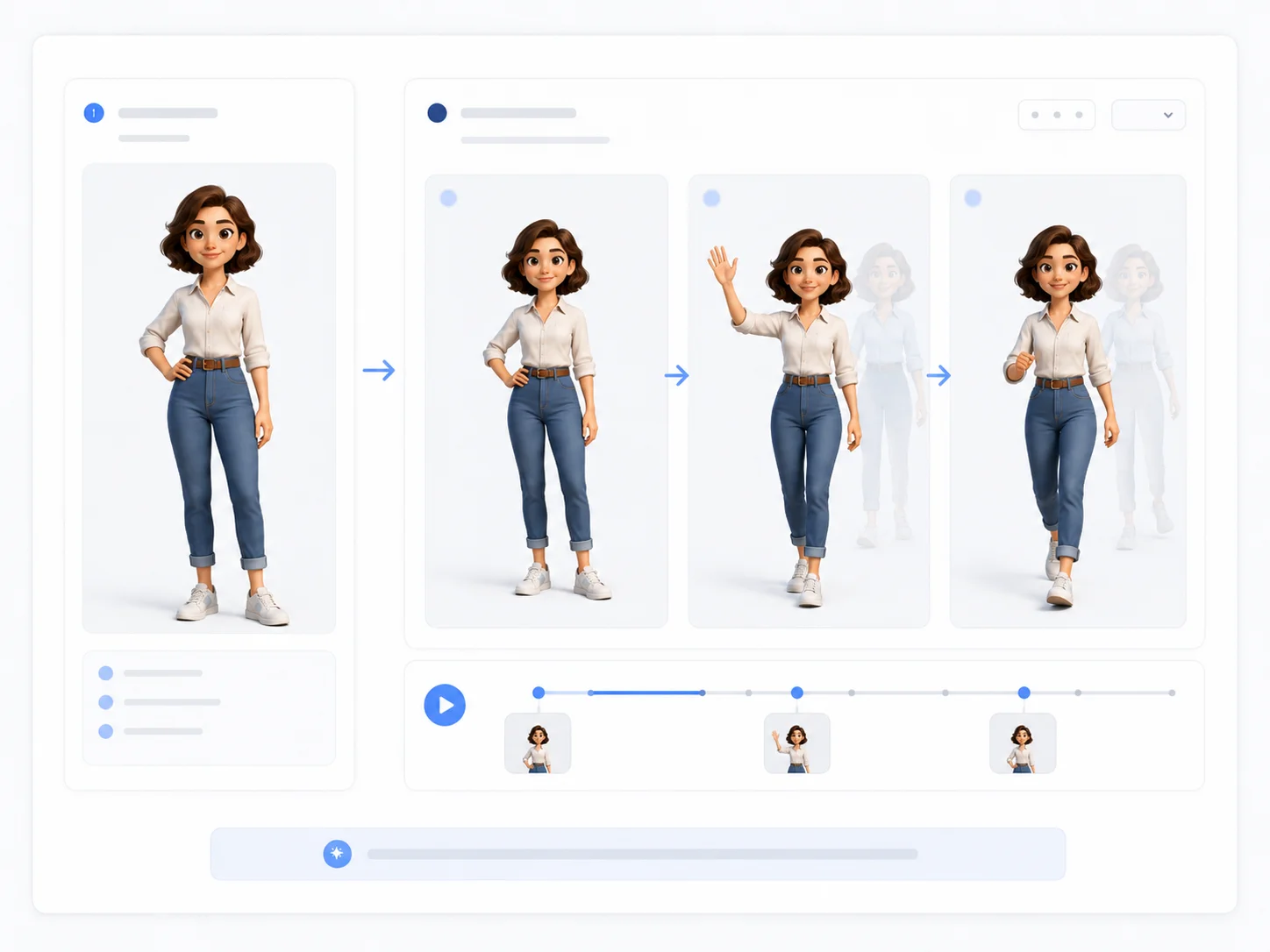
AI Character Animation
Turn a single character image into a short animated video. It also works for motion control AI free when you need fast previews for avatars, mascots, illustrations, anime characters, or creator content.
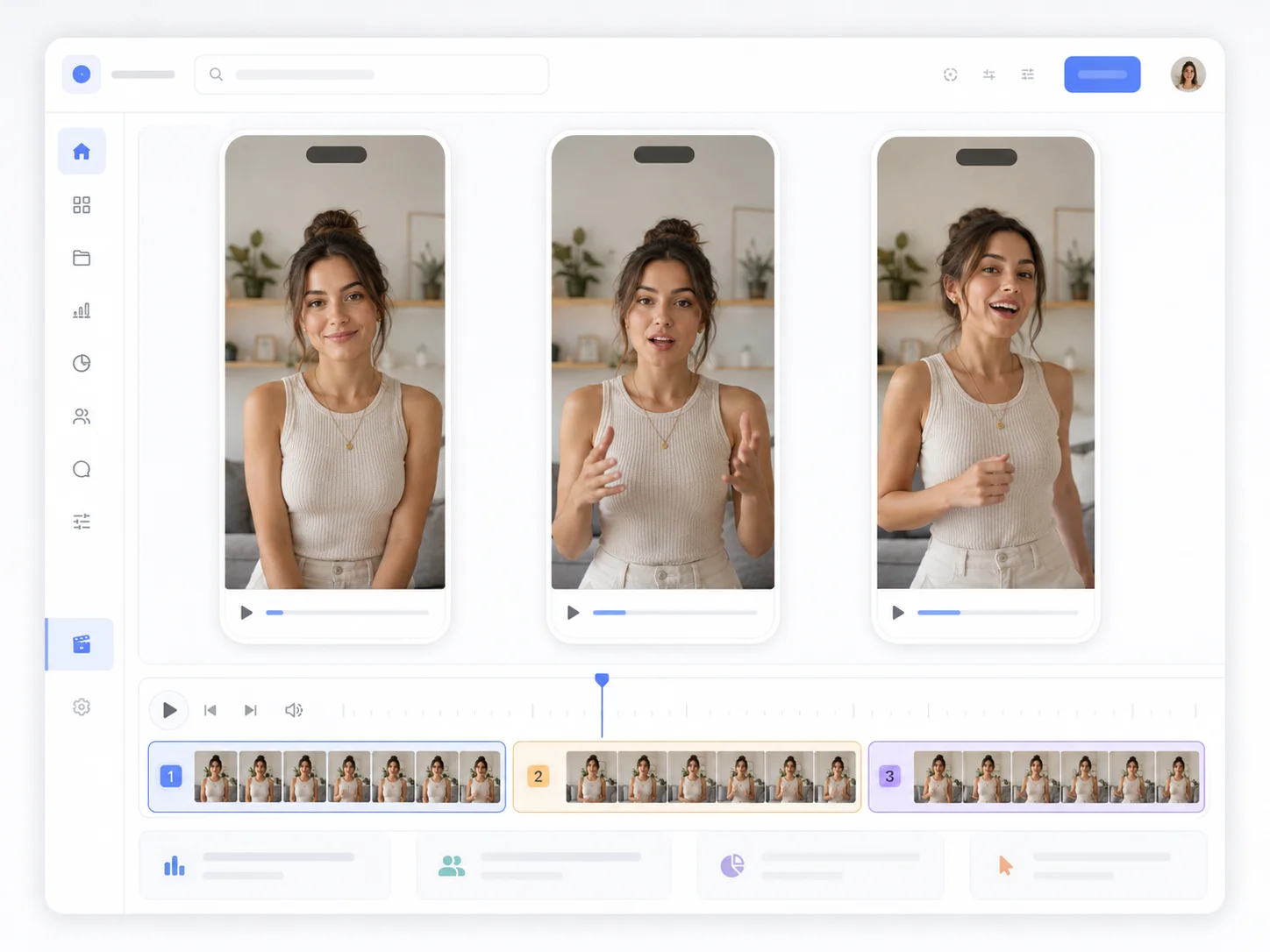
Social Media Video Tests
Create quick motion-controlled clips for TikTok, YouTube Shorts, Instagram Reels, or other vertical video formats before spending time on a polished edit. For creators testing a motion control AI free video generator, a short preview helps you judge timing fast.
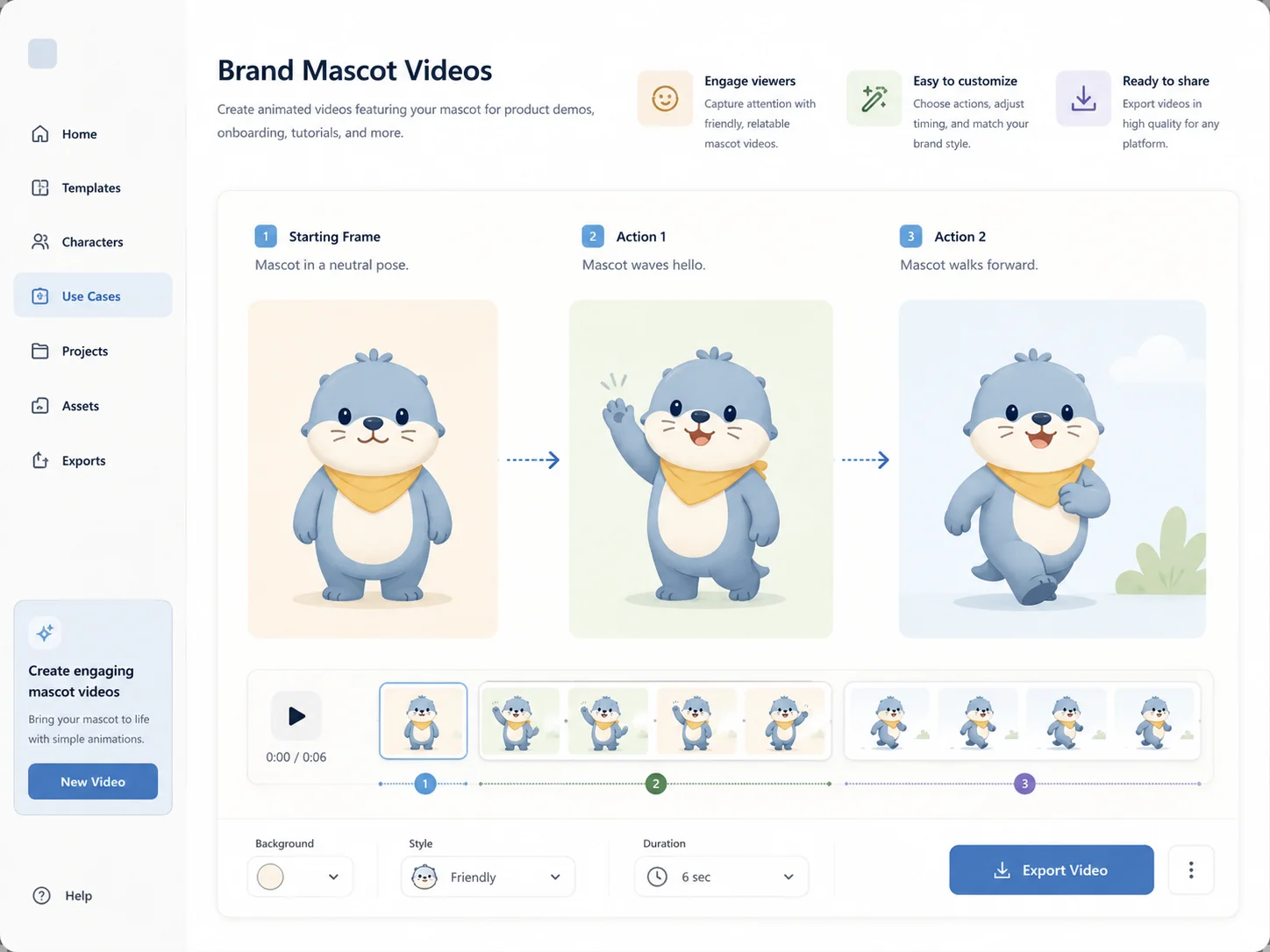
Brand Mascot Videos
Animate a brand mascot or product character with simple actions such as waving, walking, dancing, or presenting. This is useful for campaign mockups and visual testing.
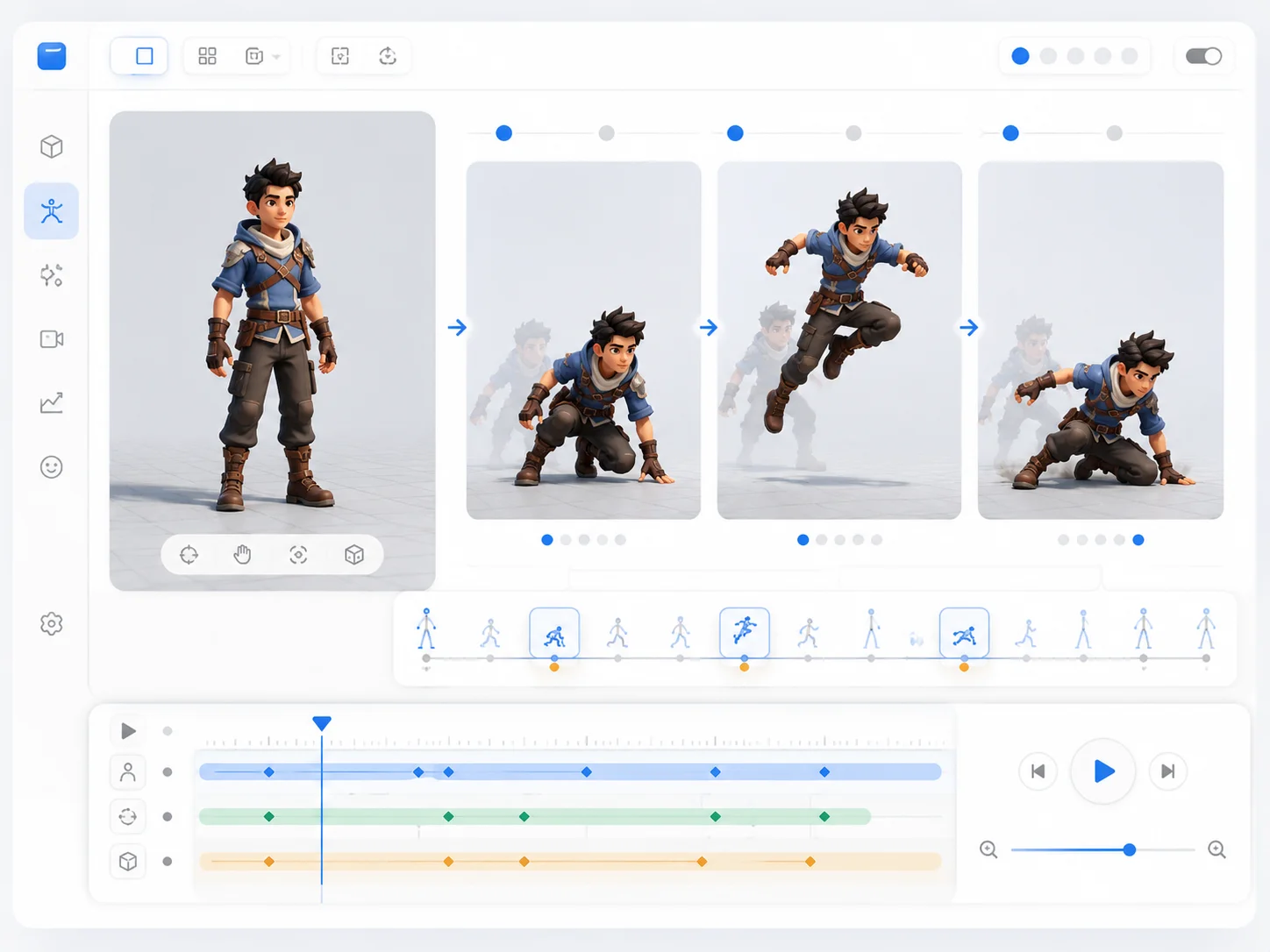
Game and Animation Preview
Use reference footage to preview action timing, body movement, and pose rhythm before creating a manual animation or a more detailed production asset.
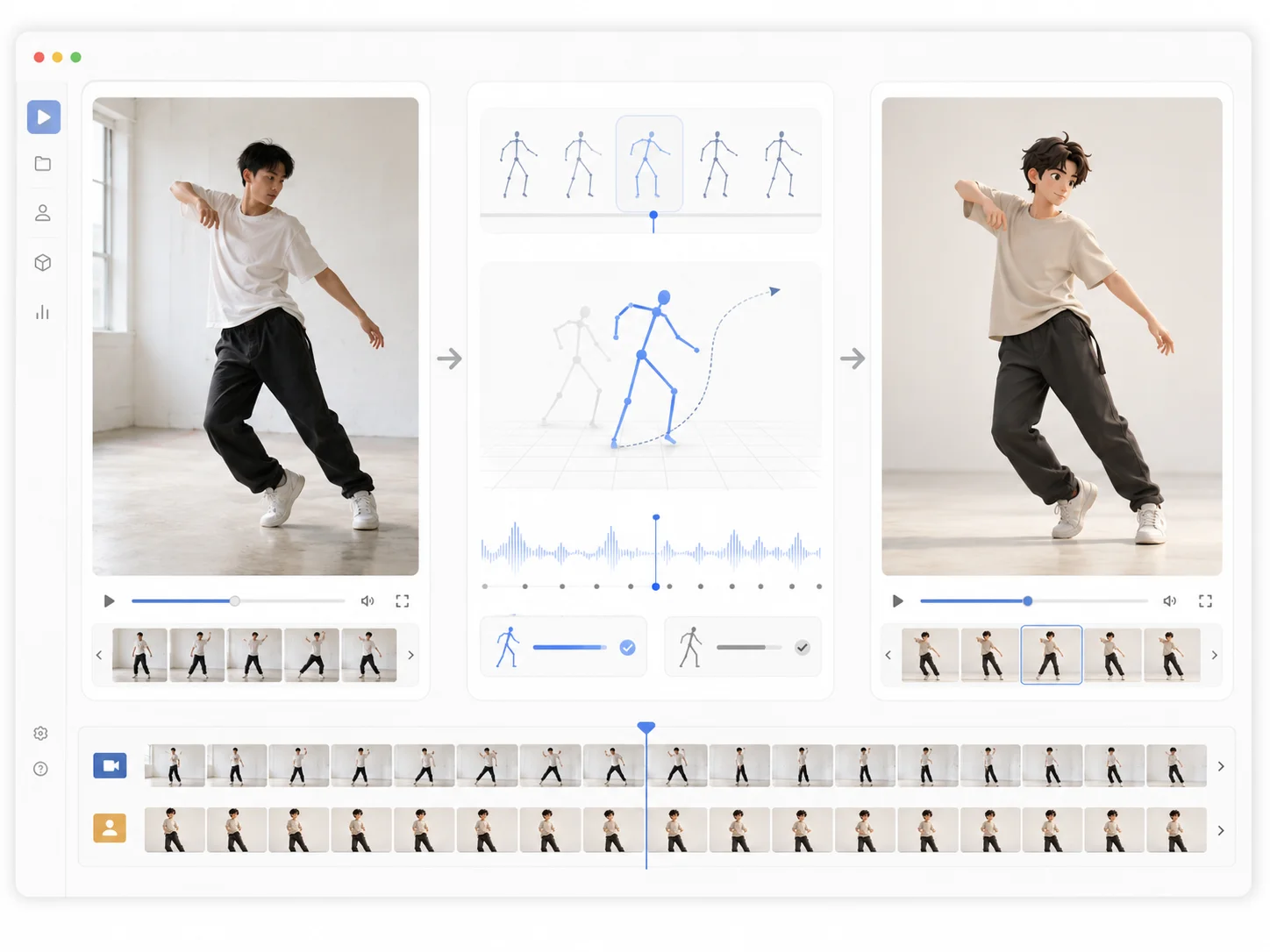
Reference-Based Video Editing
Instead of relying only on a text prompt, use a real video as the motion guide. This gives creators a more predictable motion control AI tool for specific actions.
What Motion Control AI Free actually does
With motion control AI free, you upload a character image and a real motion source instead of describing every movement in a long prompt. The image keeps the identity, and the clip guides pose, rhythm, and body direction so you can judge the result before committing to a longer edit.
Use a real movement as the guide
Start with a short clip that shows one clear action. Clean framing and easy-to-read body motion make the first test much easier to judge.
Keep the character recognizable
The goal is to borrow motion while keeping the face, outfit, silhouette, and overall style easy to recognize across the clip.
Compare short tests before you polish
Short passes make it easier to compare one reference against another and spot whether the clip, the image, or the camera angle caused the change.
Work without rigs or capture gear
You only need a character image and a reference video. That keeps the workflow practical for concept checks, campaign mockups, and fast internal reviews.
Best Inputs for Cleaner Motion Transfer
Better inputs help motion control AI free stay readable from the first test. Clear body visibility, matched angles, and short clips usually produce a more stable motion control AI video result.
Best Character Image
Image- Use a full-body or upper-body image when the action needs visible movement.
- Keep the face, outfit, and body shape clearly visible.
- Avoid images where hands, legs, or important details are blocked.
- Choose clean lighting and a simple background when possible.
- Match the character angle with the reference video for more stable results.
Best Reference Video
Video- Use a clip with one main person or subject.
- Pick movement with clear pose changes and readable body direction.
- Start with 3 to 10 seconds for the first test.
- Avoid fast cuts, heavy blur, shaking camera, or crowded scenes.
- Use a reference where arms, legs, and body motion are easy to see.
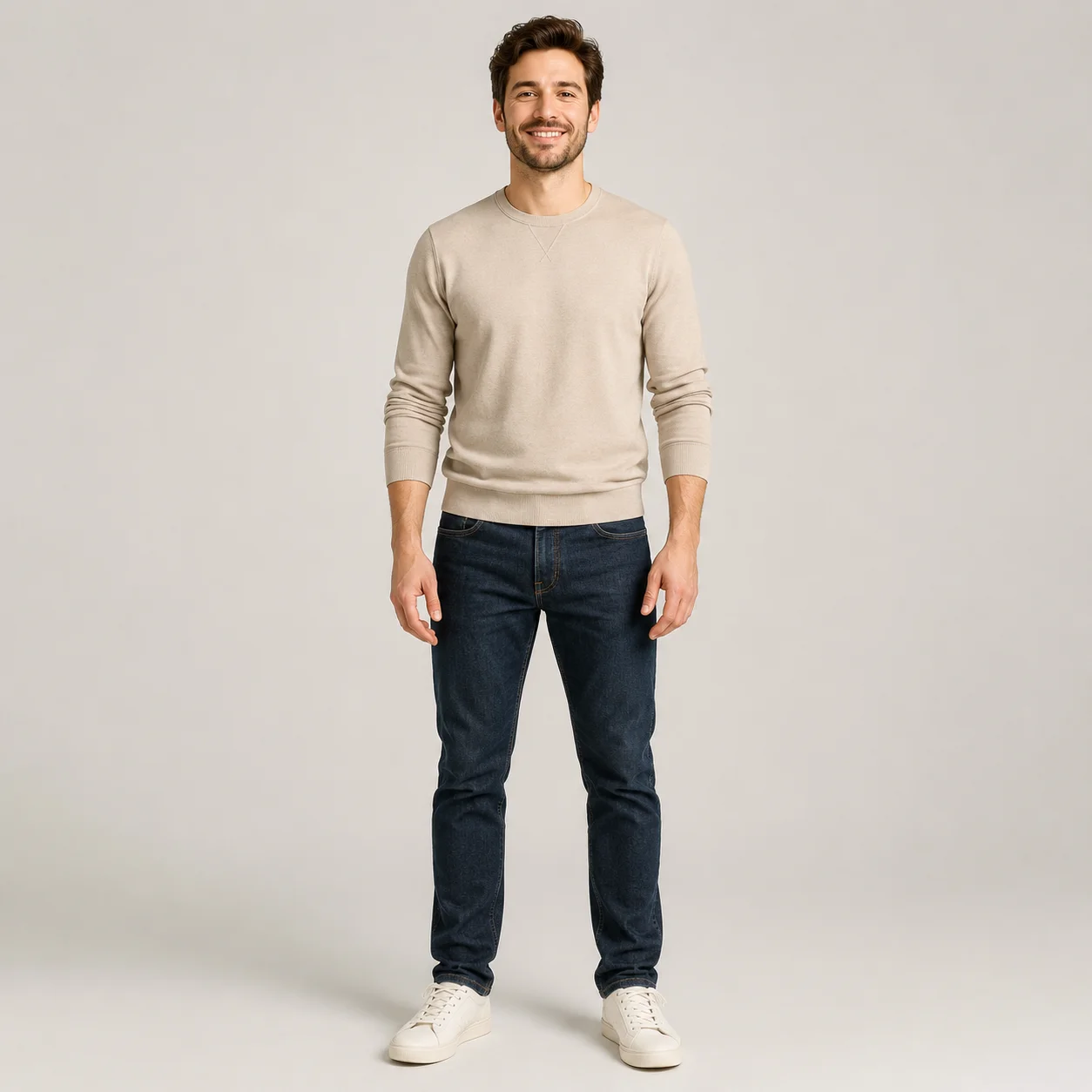
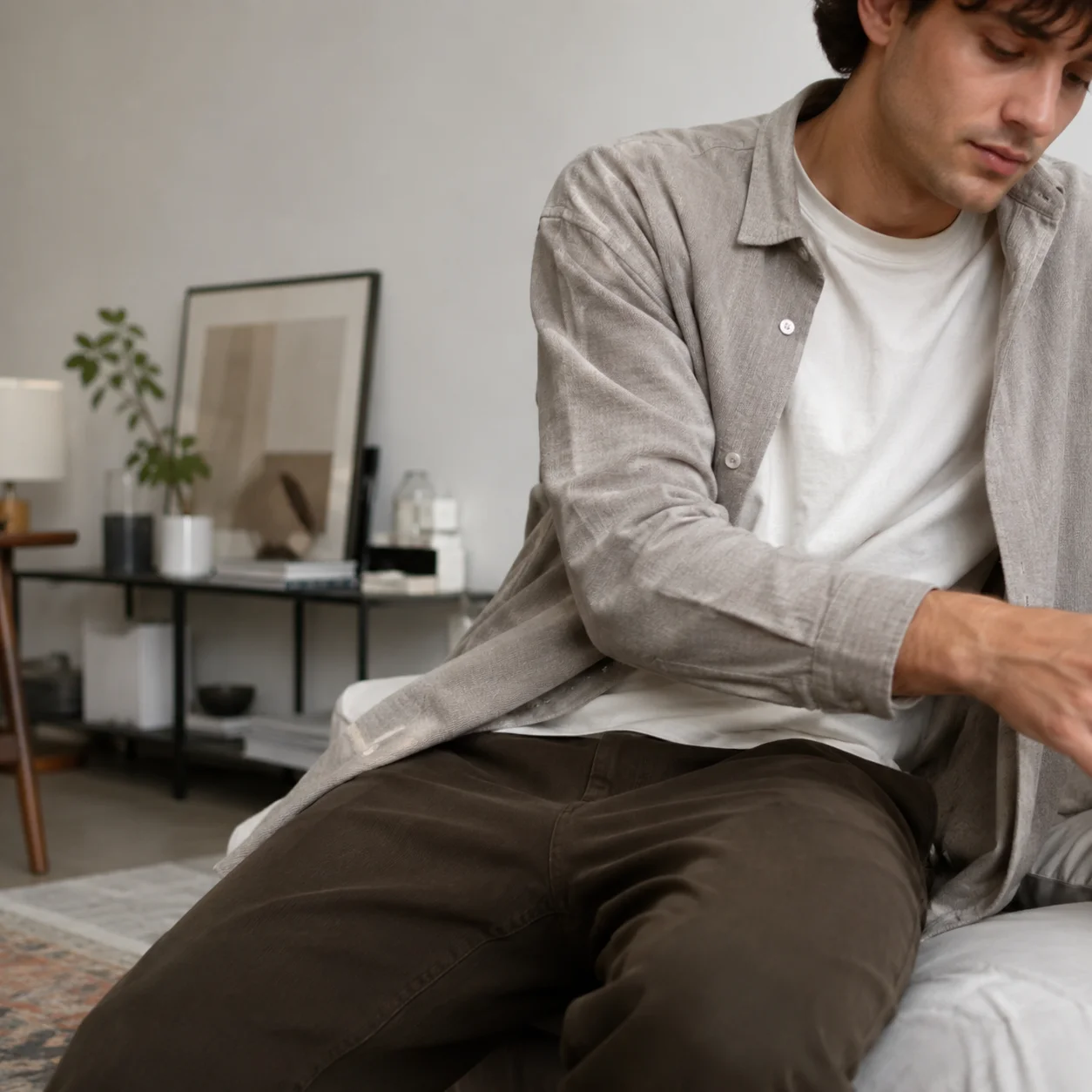
Good vs bad character image
A clean full-body or upper-body image gives the model more reliable structure to follow. Blurry crops, blocked limbs, and heavy background noise usually make the result less stable.
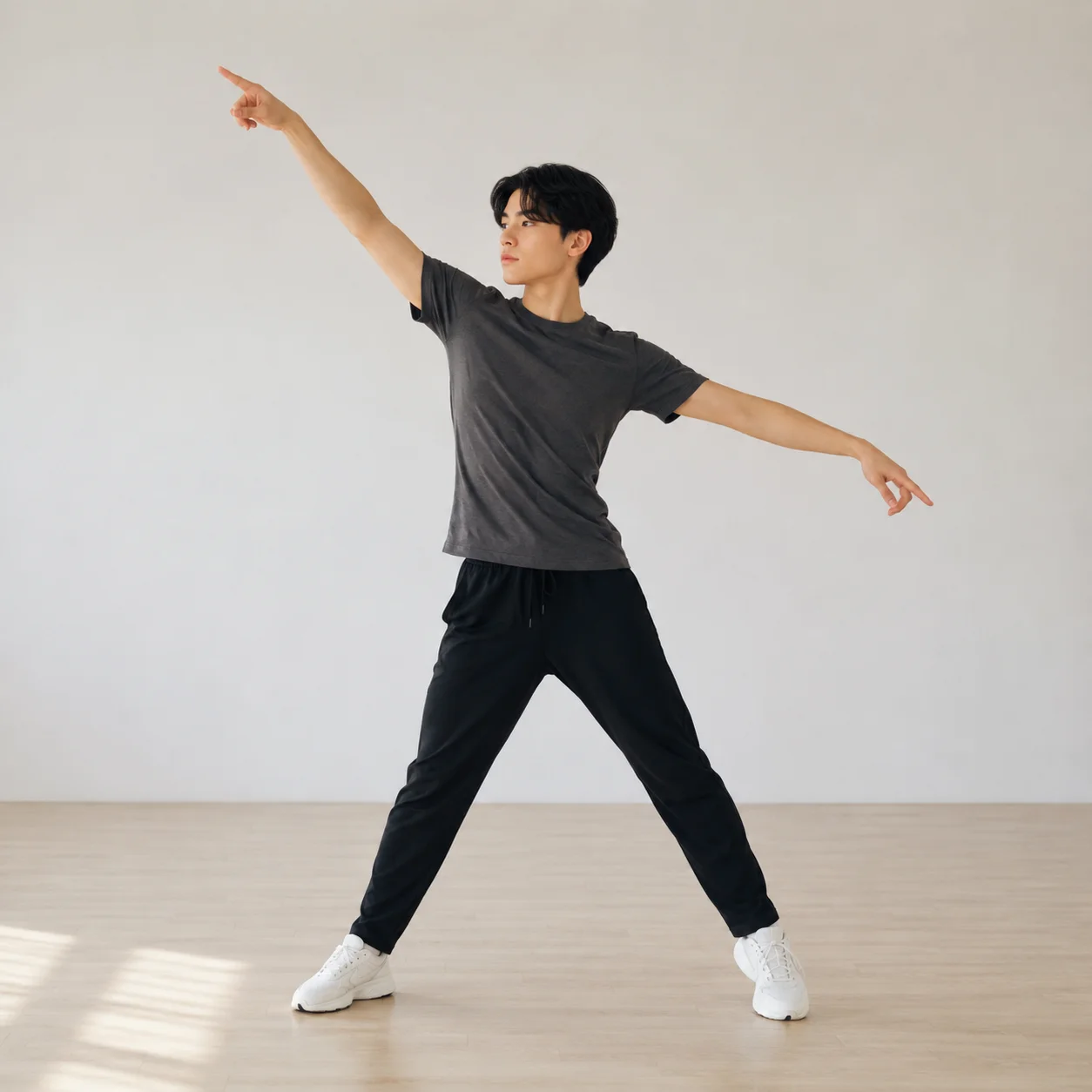
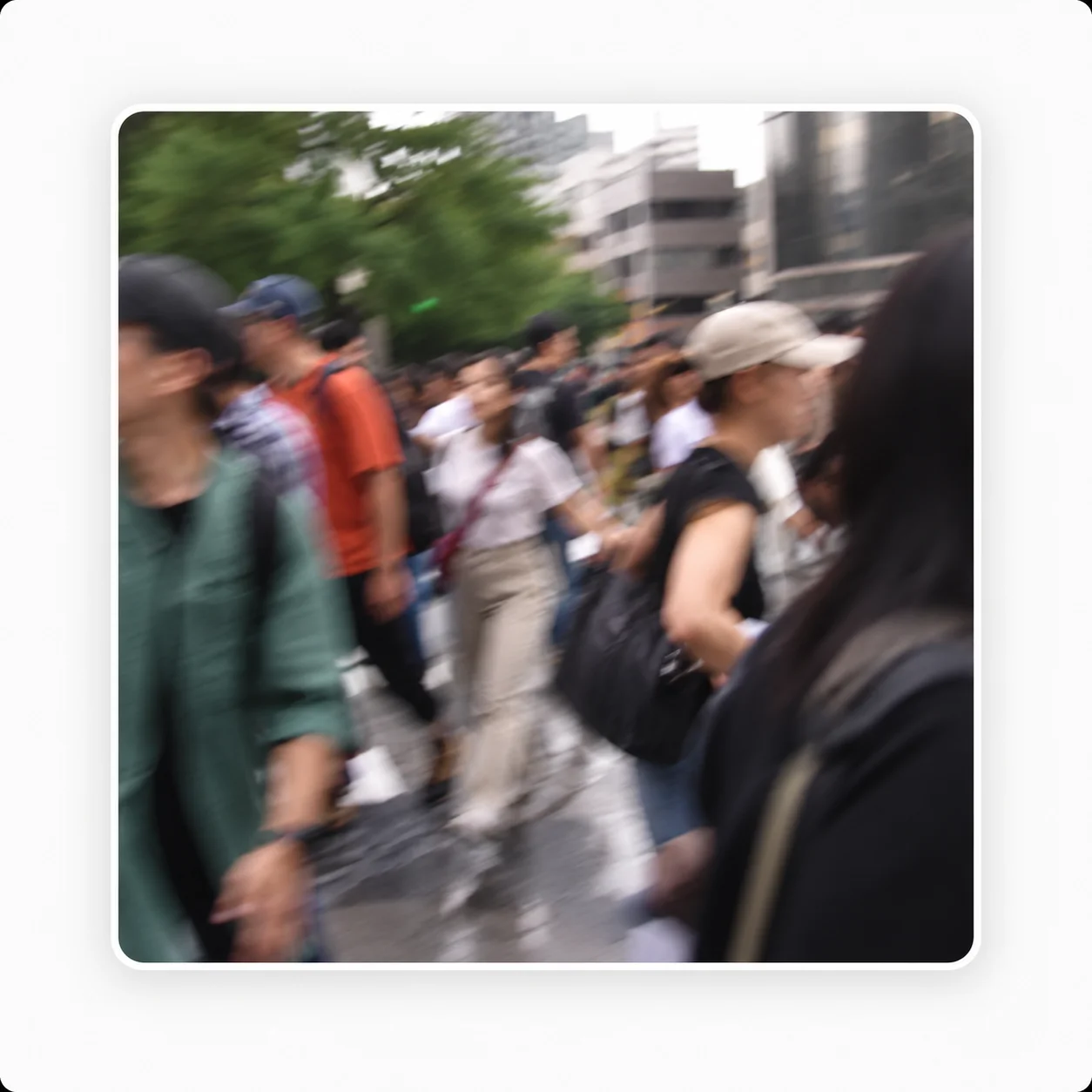
Good vs bad reference video
Single-subject clips with a stable camera are easier to interpret. Crowds, cuts, and motion blur make the movement pattern harder to read and easier to misapply.
How Motion Control AI Free Works
Create a motion-controlled video by combining a character image with a reference video. In the motion control AI free online flow, the system reads pose, rhythm, direction, and timing from the clip, then applies that movement pattern to your character.
Upload a Character Image
Start with a clear character image. The image defines the face, outfit, body shape, and visual style of the final video.
Add a Reference Video
Upload a short video that contains the movement you want to transfer. The clip works as the motion guide for pose, rhythm, and direction.
Generate the Motion-Controlled Video
The model analyzes the reference motion and applies it to your character while trying to keep the identity and style consistent in the final motion control AI video.
Review and Refine
Check the result, then try a shorter clip, a clearer character image, or a better-matched reference if the motion needs improvement.
Motion Control AI vs Text-to-Video
Text prompts are useful for open-ended scenes, but in motion control AI free a reference video gives you a more predictable motion control AI tool when the movement needs to follow a specific action.
| Feature | Motion control | Text-to-video |
|---|---|---|
| Movement control | Uses a reference video as the motion guide. | Depends on how the prompt is interpreted. |
| Character consistency | Better for keeping one character style across a short clip. | May change identity, outfit, or details across frames. |
| Best for | Dance, pose, gesture, action, and character movement. | Open-ended scenes, cinematic ideas, and broad concepts. |
| Predictability | More predictable when the reference is clean. | More random, especially for exact body movement. |
| Input | Character image plus reference video. | Text prompt. |
| Editing workflow | Good for testing specific motion before final edits. | Good for exploring visual ideas. |
When you need a character to follow a specific dance, pose, walk cycle, or hand gesture, reference-based motion control is usually more predictable than describing body movement in a long prompt.
Why AI Motion Transfer Sometimes Fails
Most unstable motion control AI free results come from unclear inputs, mismatched poses, or complicated reference videos. These tips can help you improve the next generation.
The reference video has too many people
Why it happens: overlapping bodies make the motion source ambiguous. What to do: use a clip with one main subject and a clear body outline.
The character image does not match the first pose
Why it happens: a large angle mismatch forces the model to invent too much on frame one. What to do: choose a character image with a similar body angle when possible.
The camera moves too much
Why it happens: fast zooms, sudden cuts, and shaky footage make the movement harder to read. What to do: start with a steady camera and clearer action.
Hands, legs, or face are blocked
Why it happens: hidden body parts give the model less structure to follow. What to do: use images and videos where the body stays easy to see.
The video is too long for the first test
Why it happens: long clips are harder to review and more expensive to repeat. What to do: if you are testing the workflow for free, start with a clean 3 to 10 second clip first.
How Motion Control AI Free Credits Work
In motion control AI free, credits are used when you generate motion-controlled videos. Start with short tests to check whether your character image and reference video work well together before you spend more.
Generation starts the credit use
Credits are used when a video generation request starts processing.
Short tests reduce wasted attempts
Shorter clips are better for testing motion quality before creating longer results, especially when you are comparing motion control AI for free options against paid runs.
Longer or higher-quality runs may cost more
Video length, quality settings, and plan details can affect how many credits a motion control AI free run uses.
Clear inputs usually save more than guesswork
Credit handling may depend on the generation status and selected plan, so clear inputs are the safest way to avoid low-quality retries.
Questions people ask before trying it
These answers explain how motion control AI free works, what inputs work best, how credits roughly work, and what to expect from free access, privacy, and commercial use.
What is AI Motion Control?
AI motion control is a reference-based video workflow that transfers movement from a source clip to a character image. On this page, motion control AI free describes the kind of short test workflow users often look for before they decide whether they need longer, credit-based generations.
What kind of character image works best?
If you're doing motion control AI free tests, a clear full-body or upper-body character image usually works best. The face, outfit, body shape, hands, and legs should be easy to see. Avoid heavy blur, blocked body parts, extreme close-ups, or very complex backgrounds.
What kind of reference video should I use?
If you're using motion control AI free, stick to a short video with one main subject, clear body movement, and a stable camera. For the first test, a 3 to 10 second clip is usually easier to review and refine. Avoid crowded scenes, fast cuts, heavy motion blur, or videos where the body is hard to see.
Is motion control better than text-to-video?
It depends on the goal. Text-to-video is useful for open-ended scenes and broad visual ideas. Reference-guided motion is better when you need a character to follow a specific dance, pose, walk cycle, or hand gesture.
How do credits and failed generations work?
Motion control AI free may include limited testing on some plans, but regular generations still use credits. The amount can depend on video length, quality settings, model mode, and plan details. If a failed task qualifies for credit restoration or refund under the current rules, the pricing or policy page is the source of truth.
Why does my generated video look unstable?
Unstable results often come from unclear character images, crowded reference videos, fast camera movement, blocked body parts, or a large pose mismatch between the character and the reference. Try using a shorter, cleaner source clip and a character image with a similar angle.
Is there a free trial?
Free access, a motion control AI free trial, or limited generations may be available depending on the current plan. For the best first test, use a short reference video with clear body movement so you can judge the setup before spending more credits.
Can I use generated videos commercially?
Commercial use depends on your selected plan and the rights you hold to the uploaded character image and reference video. Do not upload copyrighted, private, or restricted content unless you have permission to use it. Make sure your input materials and final use comply with applicable rights and platform rules.
Are my uploads private?
Uploaded images and videos are used to generate your result. Avoid uploading sensitive personal content, private materials, or files you do not have the right to process. For current storage and deletion details, read the Privacy Policy.
Do I need a prompt for AI motion control?
Not always. Many motion control AI free tests work with a minimal prompt because the reference clip already carries most of the action. Add a short prompt when you need to clarify mood, framing, or small style constraints.
Can AI motion control keep the same character consistent?
It can help, but consistency depends on the input image, starting pose, outfit visibility, camera angle, and reference quality. Motion control AI free works best when the face, body outline, and first frame are easy for the model to read.
What kinds of videos can I make with AI motion control?
Common uses include dance clips, mascot videos, anime tests, social shorts, acting beats, creator demos, and quick product previews. People often use motion control AI free for short experiments before they commit to longer or higher-quality renders.
Need plan details or policy updates? See Pricing and the Privacy Policy.