
Rumpelstiltskin AI Dance Generator
Put yourself into the Rumpelstiltskin dance. Keep the barn, costume and camera cuts. Rumpelstiltskin AI includes the dance reference, so you can start with one photo. Check your credit total and let the tool handle the movement, without uploading a video or writing a prompt.
Reference video
See a real Rumpelstiltskin AI result
One face photo, placed into the barn dance. Watch the actual output below.
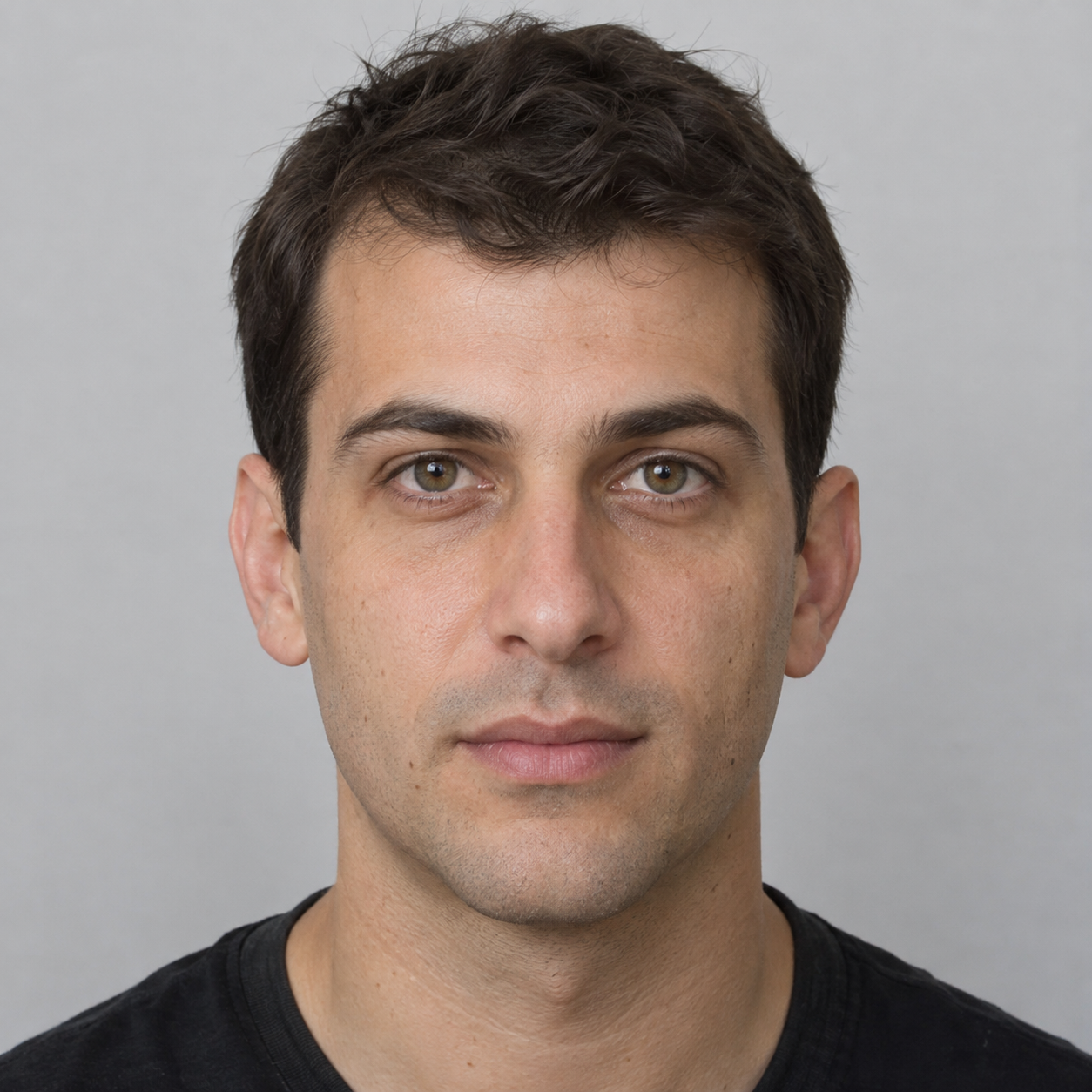
A clear face. Even light.
No costume or dance footage needed.
Same barn. Familiar costume. A different face.
The dance behind the trend
The Rumpelstiltskin AI meme shows a small fairytale character tiptoeing across a barn. According to Know Your Meme's timeline, Stroinaya, Neuroferma and Anna Glinskaya jointly posted the original AI video on August 27, 2026. The music remix spread in late September and early October. It is not footage from the 1987 film. Our tool uses your photo for the character and the reference for the dance.
The included 15-second reference runs from 00:09 to 00:24 of the original video, at its original speed and framing. We have not looped shots or added cuts. You can switch the player above to the complete 33-second original to hear the music and see the full scene before starting. For each Rumpelstiltskin AI video, your photo supplies the face while the original supplies the barn, costume, small character proportions, steps and camera cuts.
- You provide
- One clear face photo
- We provide
- The dance reference
- Video length
- 15 seconds
- Output
- MP4 video
Start with a clear view of your face
Your face is the reference for the replacement character. For a recognizable Rumpelstiltskin AI video, choose a sharp portrait or upper-body photo taken in even light. The original clip supplies the body, costume, setting and movement.
Keep your face easy to recognize
Give Rumpelstiltskin AI a clear view of your eyes, nose and mouth. Avoid sunglasses, heavy filters and hands covering your face. A close portrait is fine; you do not need to include your shoes because the dancer keeps the original costume.
Make one person easy to see
Rumpelstiltskin AI works best with one clearly visible subject facing the camera under bright, even lighting. Avoid group shots, heavy blur and foreground objects that cover the face. The tool replaces the small main dancer while leaving the other people in the reference scene alone.
Keep the original costume
Your photo tells Rumpelstiltskin AI what your face looks like. The original costume stays in the video. Use a clear JPG, PNG or WebP under 10 MB, with the person's permission.
From your photo to your own dance
No motion video to film. No prompt to write.
Upload and preview
Upload your face photo in the tool above. Check that your face is sharp and easy to recognize before you start. You can try another photo without spending any account credits.
Check the credit total
Generation costs 8.4 credits/second. Reference duration rounds up to whole seconds, then the total rounds up to a whole credit. This 15-second reference costs 126 credits. Check the creation button before submitting.
Starter monthly includes 200 credits for USD 19/month. Compare credit plans before buying.
Review, then download
Sign in and start generation. When your Rumpelstiltskin AI video is ready, watch it in the player before downloading. Your submitted projects also appear in History, where you can check progress and return to a finished video later.
Popular creative uses for the Rumpelstiltskin dance
Use the same dance with different faces and captions to make it your own.
TikTok and Reels meme remixes
Use Rumpelstiltskin AI to turn a personal snapshot into a dance remix for TikTok or Reels. Pair the familiar sneak-and-tiptoe choreography with a caption that fits your joke, then review the clip before sharing it.
Cosplay and stylized characters
Try Rumpelstiltskin AI with a cosplay photo or a stylized character to put that face into the original scene. The dancer keeps the original fairytale costume and small proportions. Stylized faces may need a few attempts to remain recognizable.
Lighthearted social trends
Make a version for your friends or a group chat without learning the steps or filming a dance yourself. Start with one clear photo and a caption that fits your joke.
Why creators choose dedicated Rumpelstiltskin AI
The reference clip and movement instructions are already included. You choose the person, then review the finished video before sharing it.
Zero motion video searching
The 15-second dance is ready to use here, so you do not need to find or trim a clip. For a different dance, try the motion control tool with your own reference.
No prompt engineering needed
You do not have to describe every step in a text prompt. Rumpelstiltskin AI reads the included reference for the movement and timing, so you can focus on choosing a suitable character photo.
Prepare your clip for sharing
Download the silent MP4, review the complete clip, then add licensed audio and captions in your editor. Preview your export before posting to TikTok or Reels.
Compare attempts without losing your edits
Keep your inputs and finished files together so you can compare changes instead of relying on memory.
Save the photo and download
Keep a copy of the exact photo you submitted alongside the downloaded MP4. Name both files clearly so you can match them later. Preserve the untouched video before adding music or captions.
Change one input at a time
When comparing Rumpelstiltskin AI attempts, change the photo while keeping the same reference. Record which image belongs to each result. Each new generation uses credits, so decide what you want to improve before submitting another attempt.
Compare matching moments
Pause both results at the same point in the dance. Check the face after a turn and across scene cuts. Keep the version that stays recognizable through movement, not just its opening frame.
Check the small details before you share
The model creates new video frames from your photo and the reference; it does more than paste a face onto the dancer. Hands, shoes and background details can change during a turn. The original clip also has cuts and close camera angles, so watch those moments when you check how well the result follows the footwork.
Watch the feet and hands
Examine the foot placement and fingers during quick strides. If you notice sliding shoes, unnatural warping, or merged digits, compare that moment with the original reference. The new frames may contain artifacts even with a clear face photo, so review the complete Rumpelstiltskin AI video before sharing.
Check your face throughout the clip
Review your Rumpelstiltskin AI dance from start to finish, especially during rapid head turns. A crisp opening frame does not guarantee that your face stays recognizable throughout. Watch the full timeline and check your features as the character turns and changes direction.
Add your soundtrack when editing
All generated Rumpelstiltskin AI dance clips are exported without audio. While our studio lets you listen to the 33-second reference with sound, you should attach the trending soundtrack within your video editor or directly through TikTok and Instagram Reels audio libraries.
Frequently asked questions
What is the Rumpelstiltskin AI trend?
Rumpelstiltskin AI is the barn-dance meme made from an AI-generated fairytale video. Know Your Meme traces the original to a joint Instagram post by Stroinaya, Neuroferma and Anna Glinskaya on August 27, 2026. Remixes paired it with RiFF RAFF's Tip Toe Wing In My Jawwdinz in late September, and it spread into early October. The old-film look led some viewers to mistake it for a scene from the 1987 movie. This tool lets you try the dance with a character from your own photo.
What kind of photo should I upload for Rumpelstiltskin AI?
Use a bright, sharp photo of one person facing the camera, with the face large enough to recognize. A portrait or upper-body photo is fine. Avoid group shots, sunglasses, blur and objects that hide the body. Your photo provides the facial identity for your Rumpelstiltskin AI video. Upload a JPG, PNG or WebP up to 10 MB.
Do I need to upload a video or write a prompt?
No. Rumpelstiltskin AI includes a 15-second dance reference and the movement instructions. Upload your character photo, check the preview and review the credit total. You do not need to find or trim a video yourself. If the template becomes unavailable, the tool pauses generation before submission, so it does not charge your account for a missing reference.
Will my Rumpelstiltskin AI video copy the original perfectly?
No. The model follows the dance, timing and tiptoe steps, but each frame is newly generated. Faces, fingers, shoes and background details can change during quick turns. It replaces the small dancer in the source clip while aiming to keep the barn, costume and camera cuts. For your Rumpelstiltskin AI video, start with a sharp photo that clearly shows the face, then watch the result all the way through before downloading or sharing it.
How many credits does a Rumpelstiltskin AI video cost?
Rumpelstiltskin AI generation costs 8.4 credits per second. Reference duration is rounded up to whole seconds, then the total is rounded up to a whole credit. For example, a 15-second clip costs 126 credits. Uploading photos and previewing the reference are free; generation requires credits from a subscription or credit package. Free accounts do not include full generation credits. Check the creation button for your total before submitting. Completed and in-progress projects appear in History.
Can I add the “Tip Toeing in My Jordans” sound?
Yes, when you edit or publish the video. Rumpelstiltskin AI exports a silent MP4; the generation service does not include a commercial music license. You can hear the soundtrack in the full 33-second reference. To add Tip Toe Wing In My Jawwdinz to your own clip, use audio you are allowed to use in your editor, or choose the available track from the TikTok, YouTube Shorts or Instagram Reels sound library.
How long does video generation take?
Generation can take several minutes or longer when the queue is busy. The page checks for updates while the model works. You can leave the page or close your browser without stopping the job. Return to History later to check its status, watch the finished video or download your file.
Can I choose the video resolution?
The current video editor sets the output resolution automatically. There is one generation option and one credit rate. Review your finished video before downloading it; a larger frame does not guarantee a closer facial likeness.
What happens if a generation fails or gets interrupted?
Failed tasks appear in History, and credits spent on an incomplete output are returned. Losing your internet connection does not necessarily mean the generation failed: the server may still be working. Return to the tool and choose Check video status, or open History to look for the existing task. Check there before submitting again so you do not create and pay for a duplicate job.
Can I use animated, gaming, or cartoon characters with Rumpelstiltskin AI?
Yes, if the character has a clear human-like body with a head, torso, arms and legs. Rumpelstiltskin AI can work with 3D characters, illustrations and cosplay photos. Choose a clear view of the face. Stylized features and unusual proportions may not carry over consistently when replacing the original dancer.